환경 :
window 10
git : 2.40.1
ananconda :24.02.01
pip install git
conda install git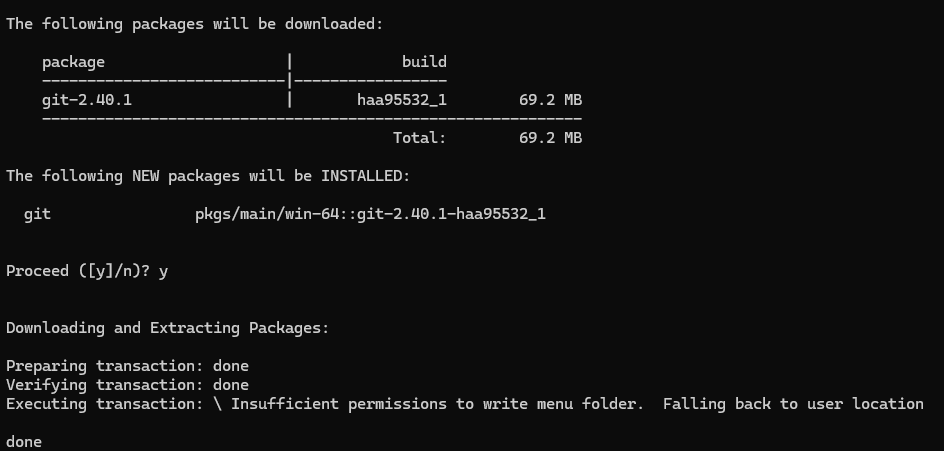
git --version
Local 저장소 만들기
git init
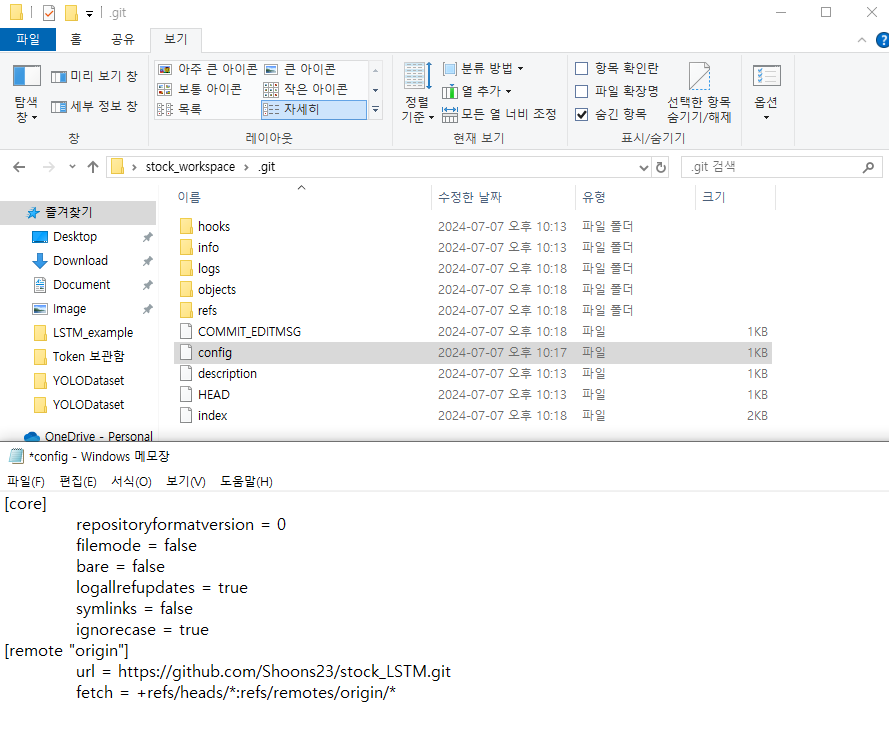
Remote 저장소 주소 추가
git remote add [저장소명] [github repo URL]
( 저장소 이름은 origin으로 하자!)
git remote rename [기존 이름] [변경할 이름]
Remote 저장소 헤제

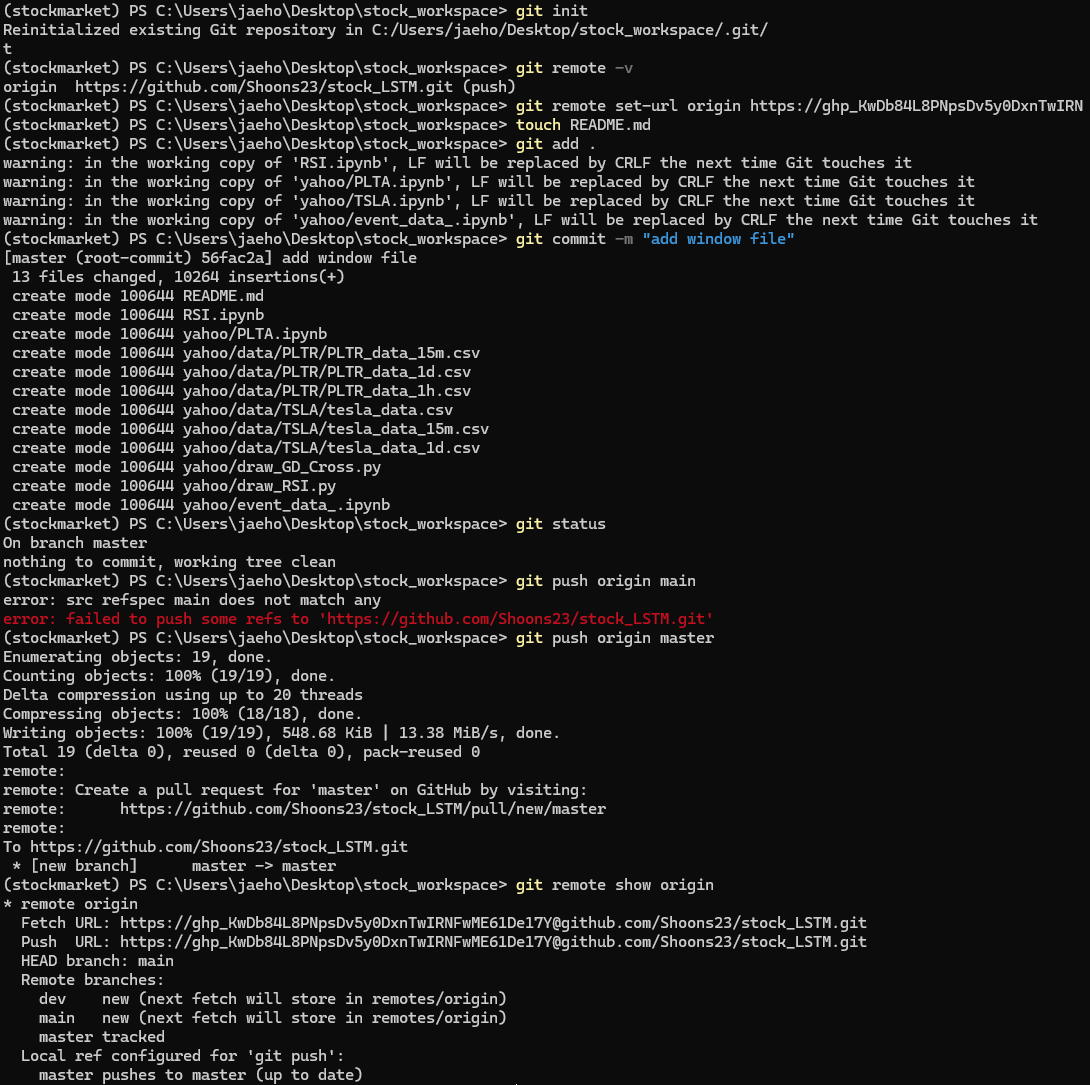
원하는 파일을 Git Repo에 올리고 싶음
mkdir [파일이름]git init
git remote- v
git remote set-url origin [token]@[repo URL]

git add .

git commit -m "[커밋 메시지]"

git push origin main
Git Repo에 있는 파일을 내 Local 저장소에 가져오고 싶음
git clone 한 줄로 가능합니다(처음 시도 때 추천)
git clone 과정이
mkdir : 파일을 만들고,
git init : 개인 저장소 생성
git remote add : 원격 저장소에 추가
git pull : 원격 저장소에 올리기

git clone [해당 github repo 주소]
이미 clone한 상태이거나 파일을 받은 경우 (업데이트용)
git pull origin main
'Version Control System > Git' 카테고리의 다른 글
| [Git] git commit하고 push 시 다른 팀원이 올렸을 경우 (0) | 2024.08.04 |
|---|---|
| [Git] git rebase 후, git cherry-pick (5) | 2024.07.25 |
| [Git] git add 되돌리기, git commit 되돌리기 (5) | 2024.07.22 |
| [Git] git push 실수 후 되돌리기 (1) | 2024.07.22 |
| [Git] 버전 관리 시스템(VCS) history (0) | 2024.07.08 |


